Explore
Live photo slideshow for weddings and events
Show guest photos live on a TV or projector during your wedding, birthday or company event. Guests upload by QR code while the photo wall updates.
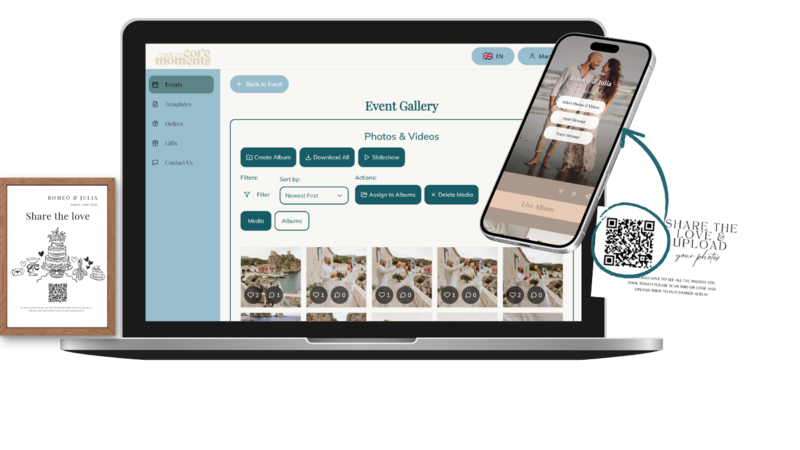
Let guest perspectives become part of the evening. A live photo slideshow shows event uploads on a shared screen, while your guests continue contributing from their phones.
Prepare the display
Open your event's upload page, start the slideshow and connect the device to your TV or projector. Use a suitable cable or compatible screen-sharing method. Wireless compatibility depends on the phone, display and venue network. Our setup guide covers the checklist.
Choose what guests should see
Your organizer gallery and the guest-facing upload page serve different purposes. Review the live-feed settings before projecting content. Tell guests that visible uploads may appear on the screen, and keep the slideshow off during moments that should remain private. Read the visibility guide.
Test before guests arrive
- Upload a sample photo from a second phone.
- Check a video, screen orientation and volume.
- Keep the display device charged and awake.
- Test the venue internet and a backup connection if available.
- Place a QR instruction card near the screen.
The screen needs internet to receive new uploads. A successful test at home does not guarantee that a venue network supports the same wireless setup.
Weddings, birthdays and company events
Show reception photos between speeches, birthday memories after the cake, or contributions from teams at a company event. Participation is optional. Check the current packages, create an event and test the actual guest experience before the celebration.
Create your event, download your QR code and let guests upload photos and videos without an app.
Create your event